Software for ski and snowboard rental shops
Ski and snowboard rental without the notebook.
Bookings, equipment availability and QR check-out in one panel. Guests book the exact skis or board in their size online, and you know where every unit is.
Or message us on Telegram

- Set up your account yourself in minutes
- No contract, cancel anytime
- Winter and summer on one account
Sound like your season?
Three things that take the most time in a ski and snowboard rental shop and most often end in a mistake.
- 01
You don't know what's free
Equipment tracked in a notebook and a spreadsheet. Every phone call means guessing or walking to the storeroom to check.
- 02
A queue at pickup
Everyone arrives at once in the morning, and guest details, sizes and equipment numbers are copied by hand onto a paper agreement.
- 03
No numbers after the season
Nobody knows which skis and boards worked and which sat on the rack all February, or what actually made you money.
Set up for skis and snowboards
Things a generic booking system doesn't have and a ski and snowboard rental shop can't work without.
- Sizes in cm and mondo
- Skis and boards in centimetres, boots in mondo, helmets in S to XL. Guests pick the exact model in their size, and availability is counted separately for each size - the 170 can be gone while the 160s are still on the rack.
- Prices for a week in the mountains
- Separate rates for 1, 3 or 6 days - whatever spans your guests actually book. A trip that matches none is charged at the next longer rate, and beyond the longest one with a charge for each extra day. Set the table once and apply it to every model.
- School holidays and peak dates
- A seasonal rule raises or lowers prices by a percentage on the dates you choose, for the whole shop or separately for skis or snowboards. Your base prices stay as they are.
- Scanning checks the size
- At pickup you scan the label. If the skis or board are a different size than the booking, the system asks before swapping them - and the booking records the size that actually left the shop.
- Late gear stays blocked
- Skis that were due back at four and are still on the slope keep blocking their booking until you record the return. The panel never promises a pair that hasn't come back.
- Approval at peak times
- During the holidays you can approve every booking by hand. The guest's card is only held, and charged once you accept.
- A deposit or damage protection
- Set the deposit as a flat amount or a percentage of the booking. Online it is held on the guest's card; at the counter you take it in cash. Or offer damage protection for a fee and skip the deposit altogether.
- Several locations
- A shop by the lift and one in town on one account, each with its own stock and prices. Up to three locations on the Pro plan.
What you get in the panel
The same modules every Rentouri shop has, set up for skis and snowboards: lengths in centimetres and boots in mondo, a price list built around a week in the mountains, and the school-holiday peak.
A counter without a queue
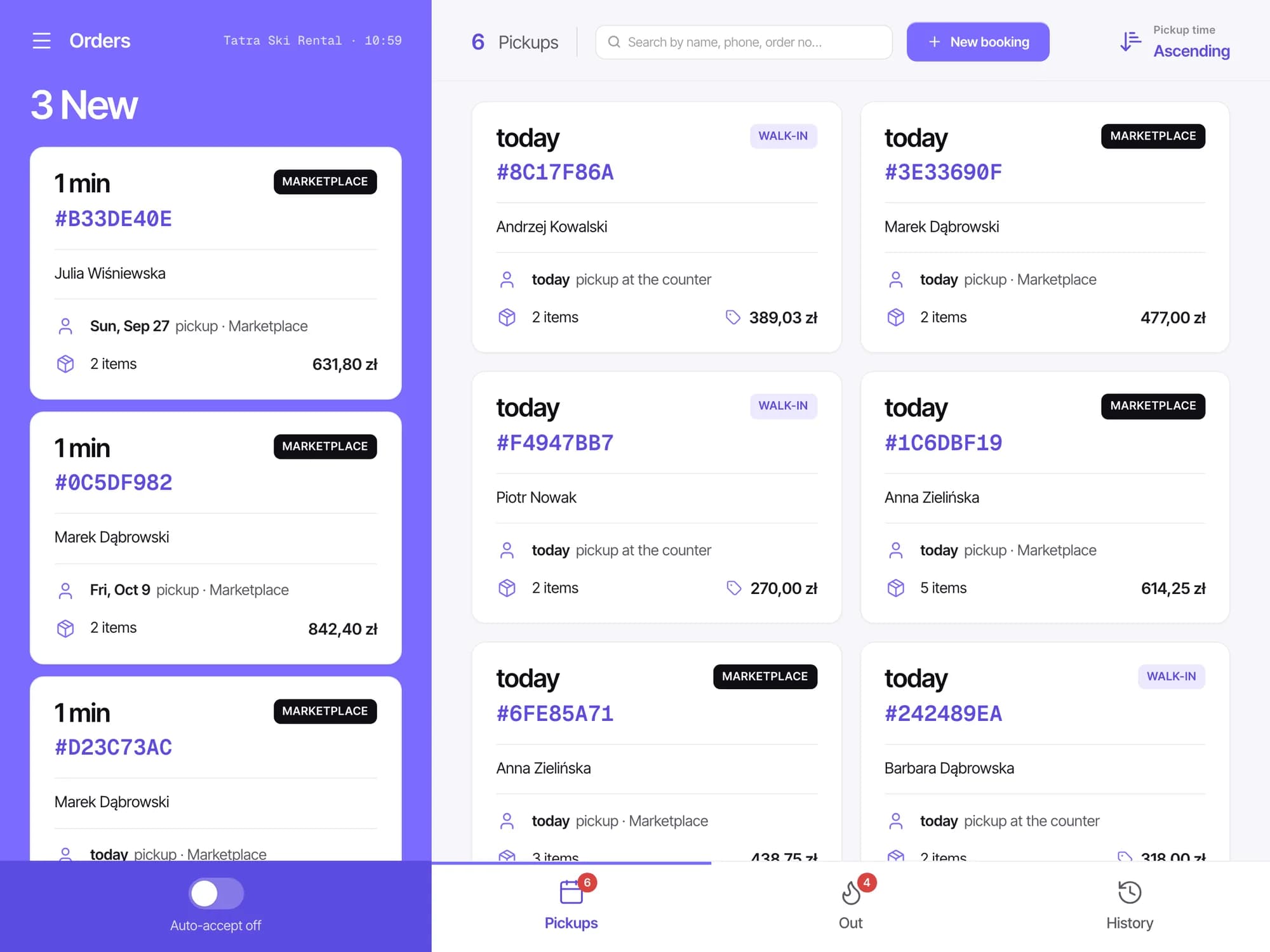
Who is collecting today, what they're taking and what they owe. Online and counter bookings on one list, sorted by pickup time.
An equipment card instead of a spreadsheet column
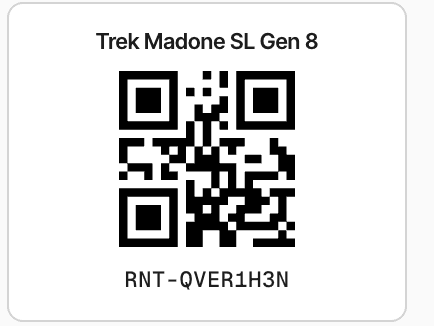
Model, sizes and the individual units with their serial numbers. The price list lives on the card, and QR labels print from it.
The whole booking on one screen
Dates, total, the assigned units, the agreement the guest signs on the tablet, and the payment and deposit status.
Know what earns
Revenue by period and category, average rental length, and a ranking of the equipment that earned the most.
Getting started is simple
No implementation consultant, no training. Create an account, add your equipment and hand it out at the counter the same day. We run onboarding personally at no extra cost - do it on your own or with us.
- 01
Add your equipment
A wizard walks you through model, sizes and units. Duplicate similar models in one click.
- 02
Set your prices
Rates by the hour or the day and charges for extra time, a suggested deposit, opening hours and seasonal rules. All in the panel.
- 03
Take bookings
At the counter straight away. Online once you connect Stripe payouts and we verify your account - then guests book through your page on rentouri.com.
Got your equipment in a spreadsheet? Send it over - we'll move your equipment and prices in for you.
Winter and summer on one account
No second system for the summer. One login, one panel, one subscription - when the season changes, you change your stock, not your software.
- Winter season
- Skis, snowboards and touring gear with sizes, day pricing and holiday rules.
- Summer season
- Bikes and e-bikes by the hour or day, with a deposit and the same QR check-out.
- Equipment servicing
- In the works. It will join the same account and work on the same units.
What you get by joining now
We're building Rentouri together with our first rental shops. You write directly to the people who make it and see changes during the season.
Talk to the people building it
Send an email or a Telegram message. The reply comes from someone on the team who writes the software.
Counter problems come first
Anything that slows down handing out or taking back gear goes to the top of the list. You tell us what that is.
Fixes during the season
Small changes usually ship within a few days, bigger ones within a few weeks. You don't wait for next season.
Setup done together
At the start we add your gear, prices and opening hours with you. It's included in your plan.
Frequently asked questions
See also: bike rentals · Rentouri for rental shops · pricing